Every screen-time tool asks you to say no at 1 a.m. Scrollpass moves the decision to 4 p.m., and makes it a walk.
People want this. The tools they use keep losing.
I validated the idea before designing anything. The full market study, two research agents cross-checked against a deep-research run, came after the first build, and it reframed what mattered: demand is real, and the dominant model of self-control is broken.
The research reframed the brief. The question was never "how strict should the lock be?" It was "how do you make a lock people choose to keep?" That question produced the four principles below, and every design decision in this study traces back to one of them.
Four principles, set before the first screen
Pay out before you ask
The first session ends on credit the user already earned, before any paywall. A gift lands better than a promise.
→ The reveal · Act IIIA lock you keep beats a lock that's strict
Honest exits keep people in: a weekly emergency five minutes, sick and off days, and Turn off locks, always one tap away.
→ Journey map · Shield copyEvery body counts
No camera, ever. Wheelchair pushes equal steps. Any device that syncs to Apple Health counts, and the earn rate is yours to set.
→ Earn rate · The bank modelCalm enough for 18 to 60+
No mascot, no confetti, no shame. The product should feel like Apple made it and read like a friend wrote it.
→ Design system · Content designOne day, one sky
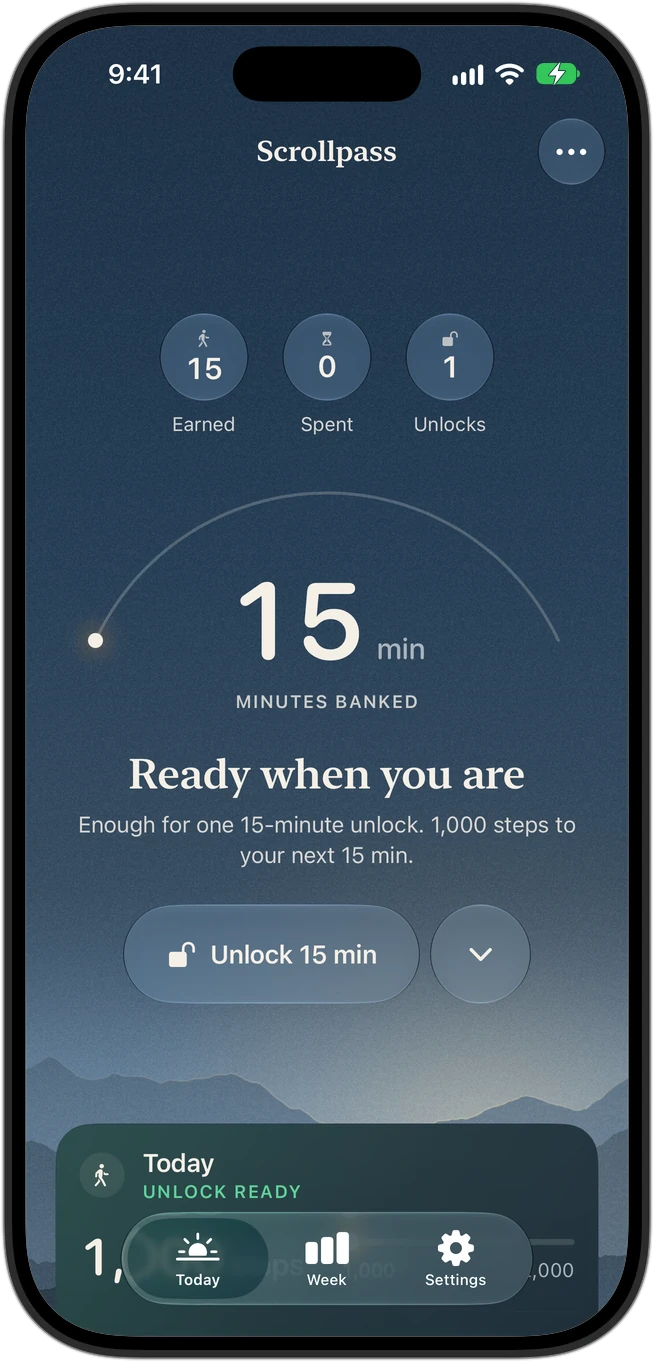
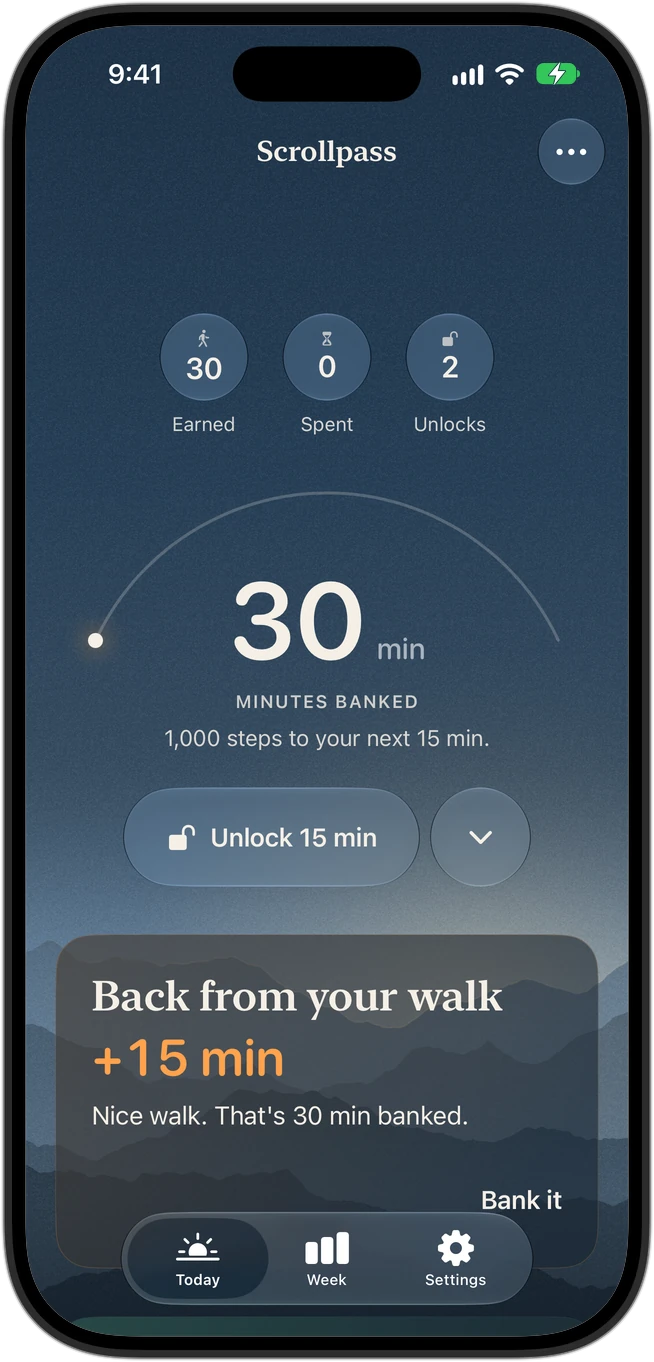
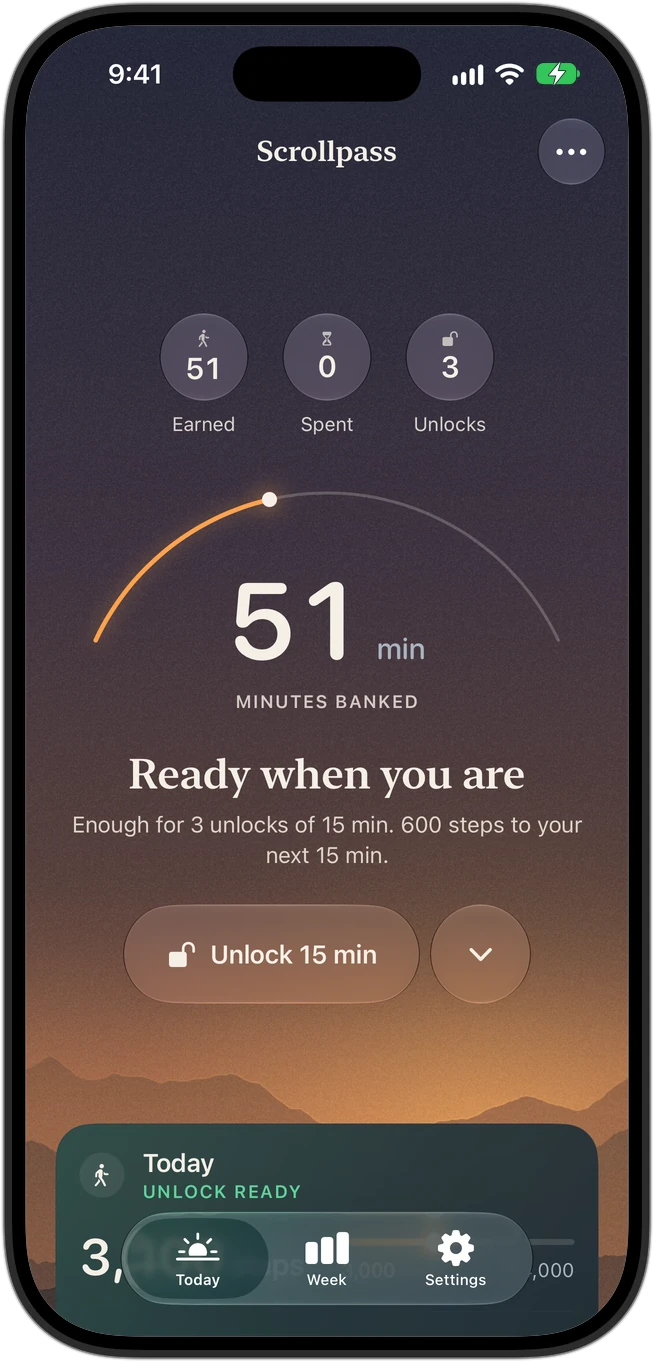
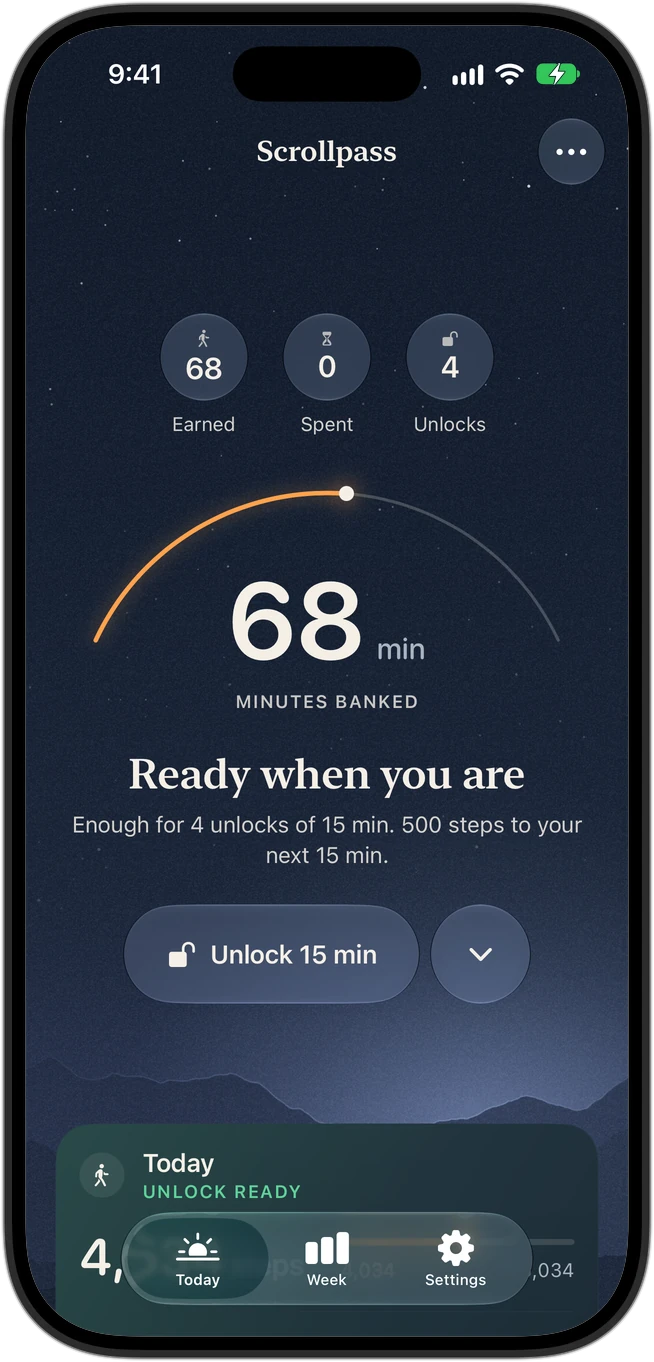
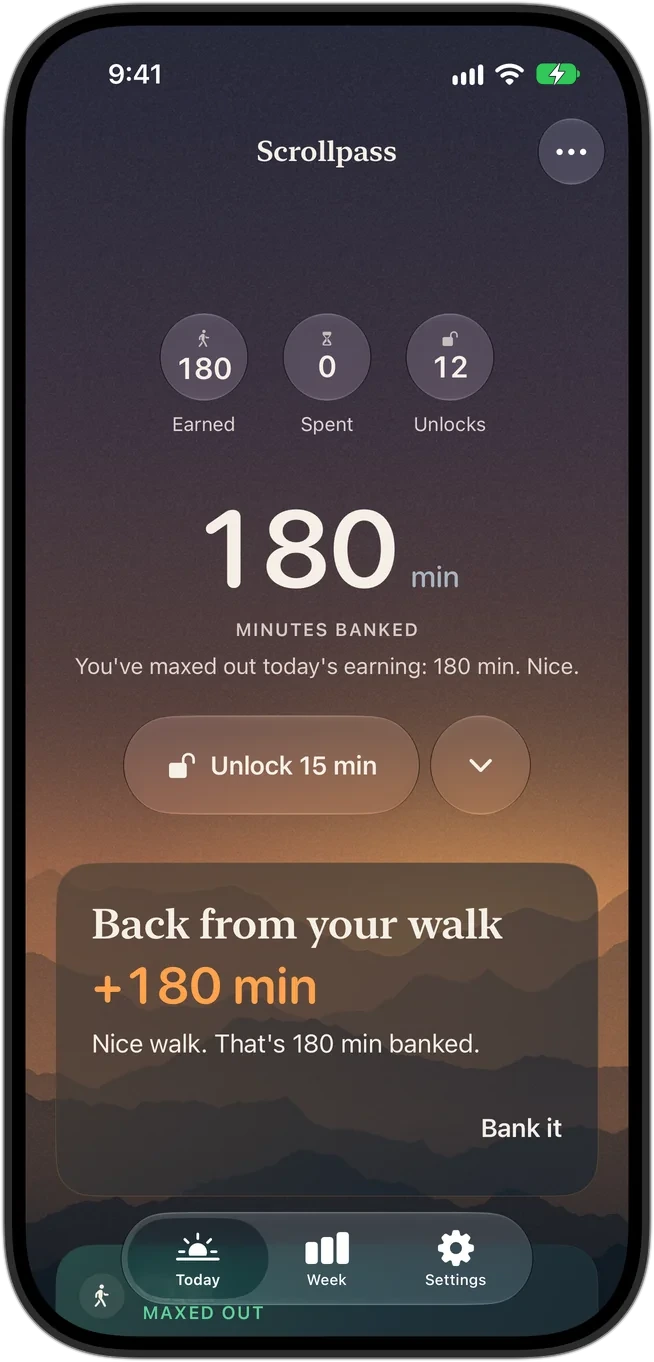
Home is drawn as a landscape that follows the clock: cool at 8 a.m., golden at 6 p.m., quiet at night. The sky warms as minutes are earned, so the screen itself shows how your day is going.
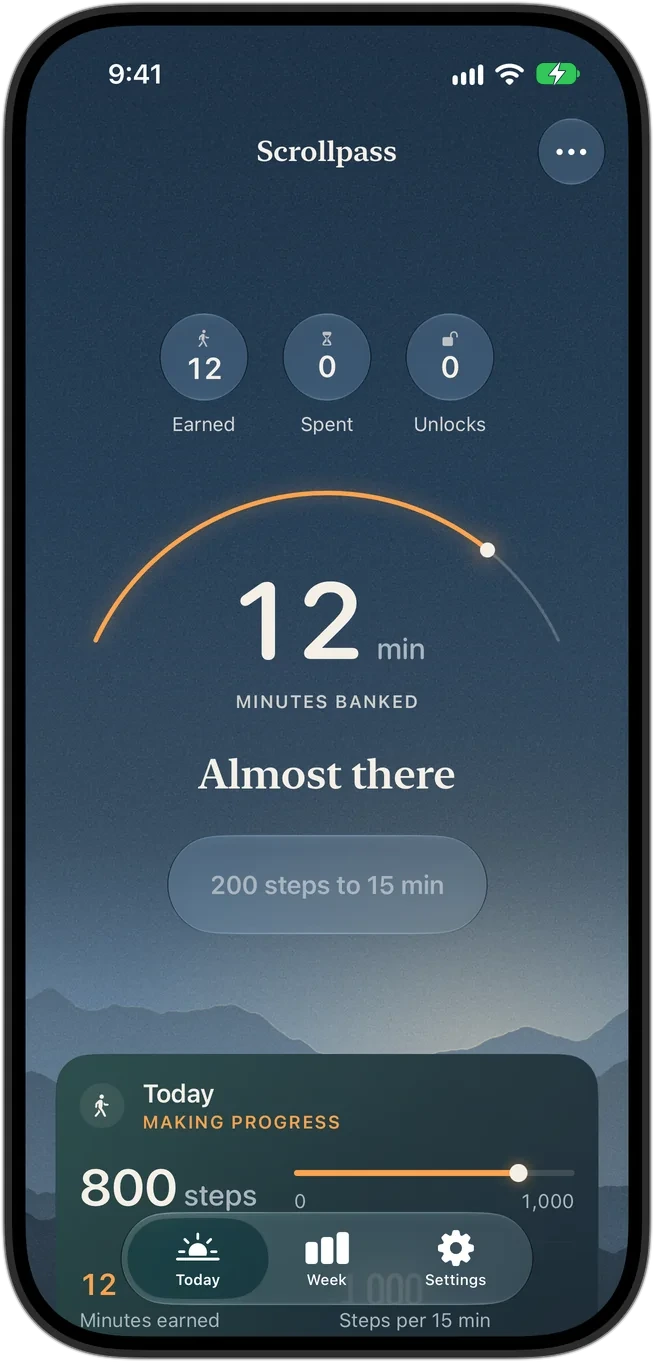
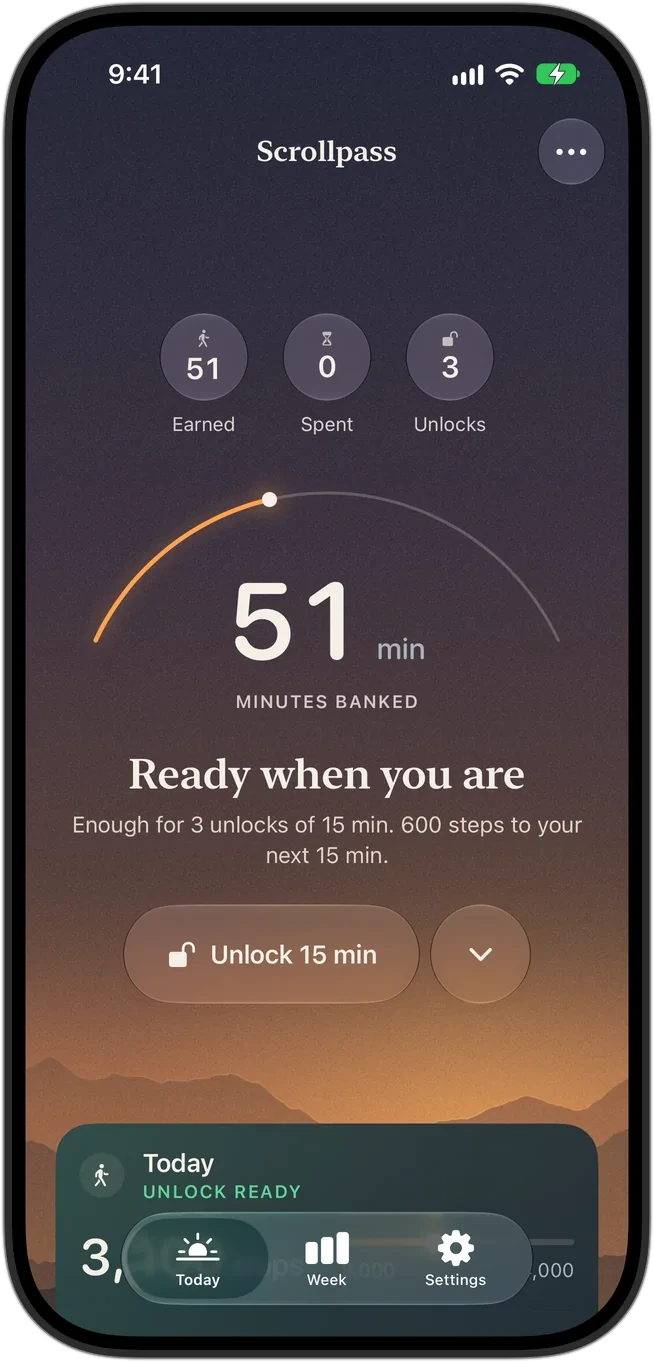
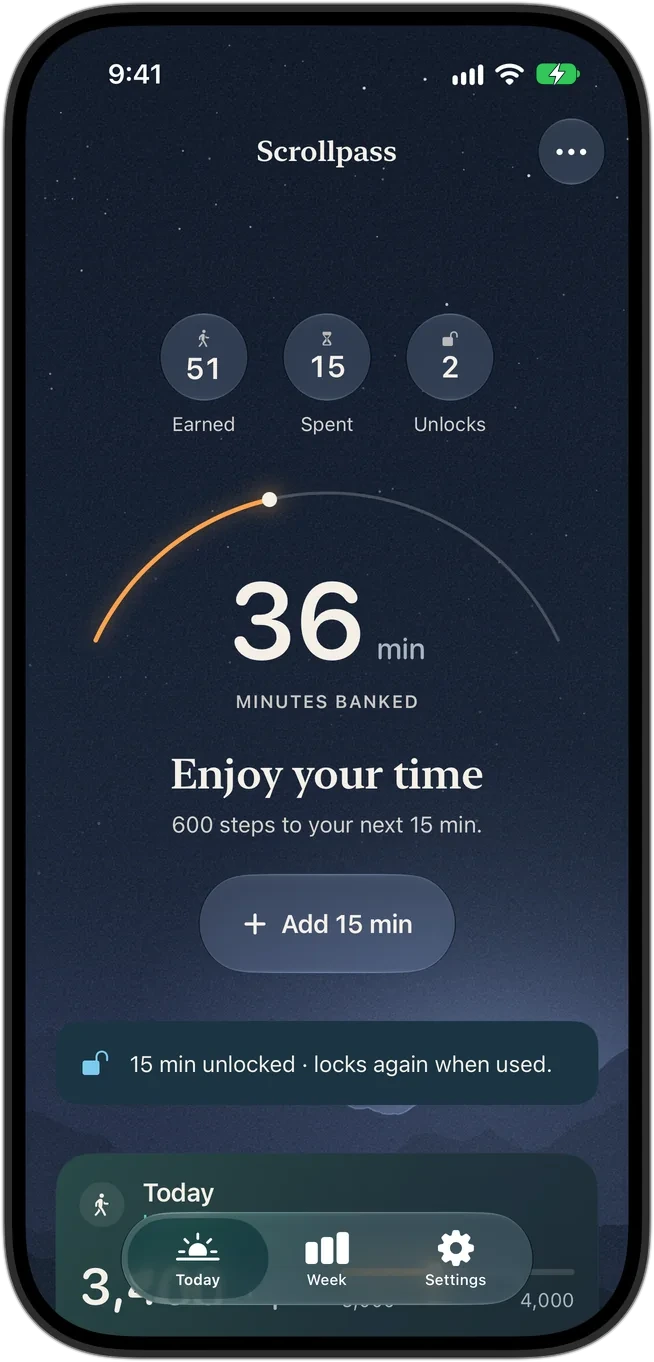
Five screens from install to the magic moment
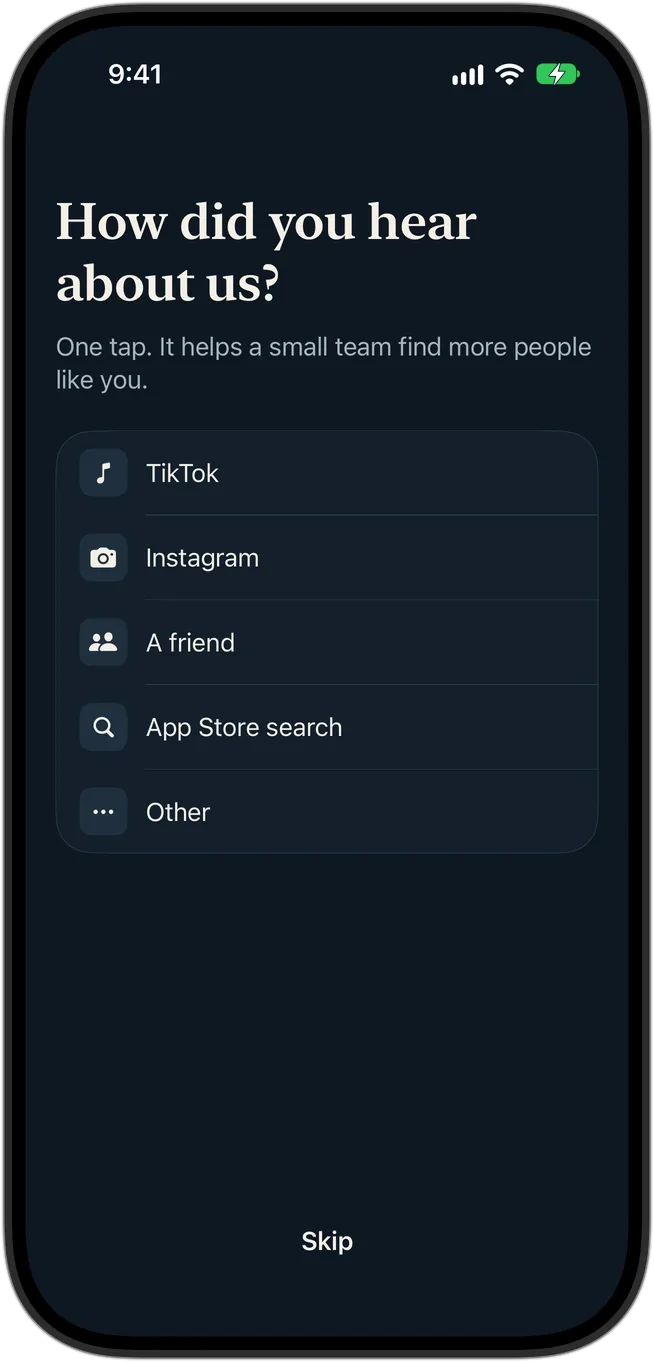
Onboarding is strictly ordered, because the payoff needs Screen Time, the chosen apps and Health in place first. Each permission is explained on its own screen, in plain words, before iOS asks.
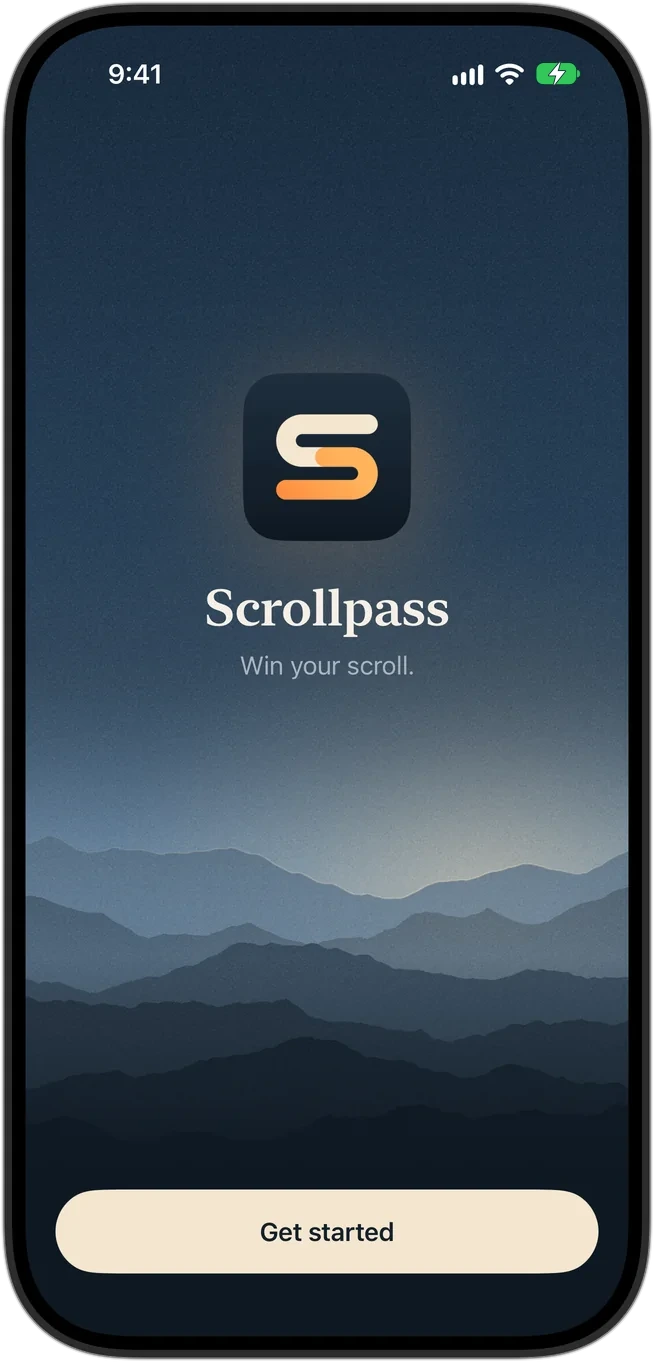
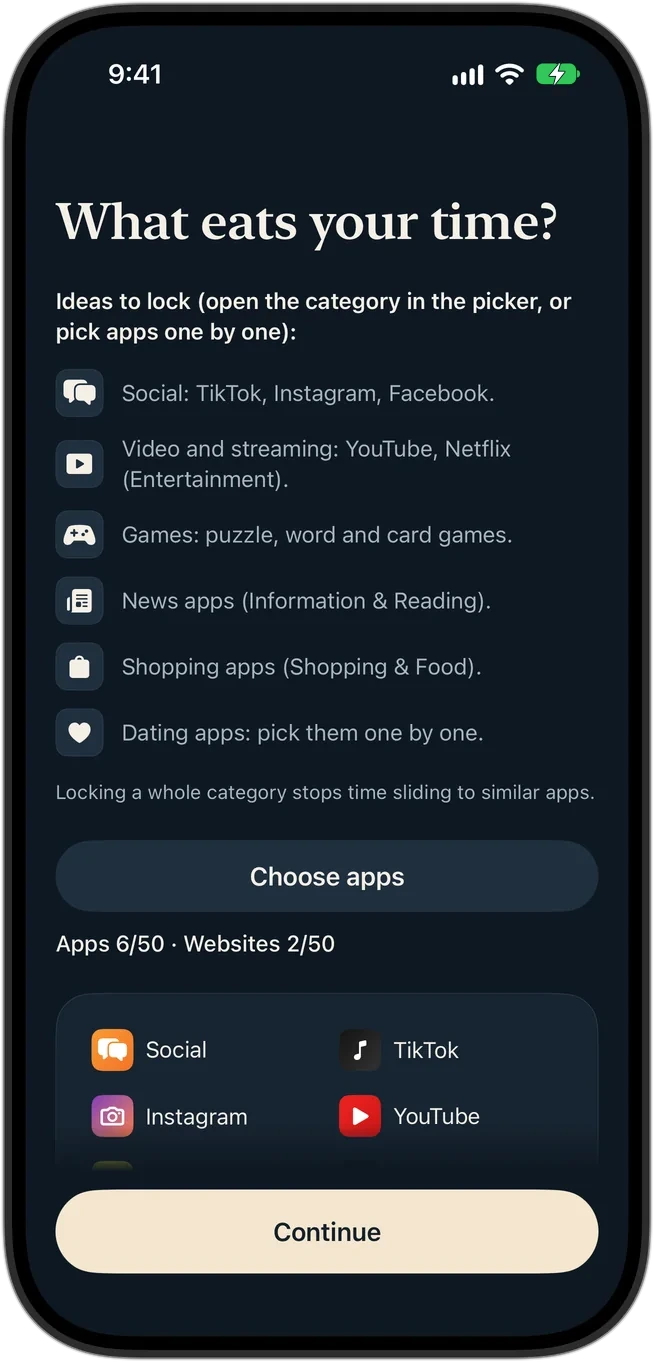
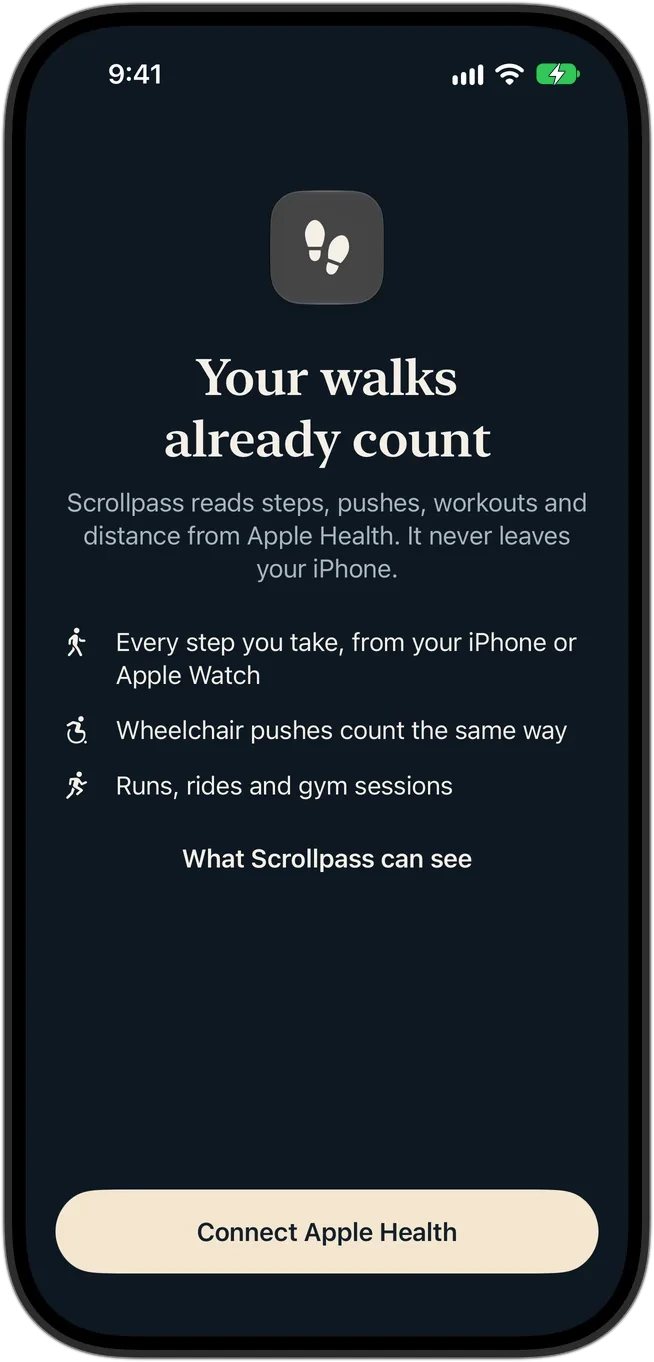
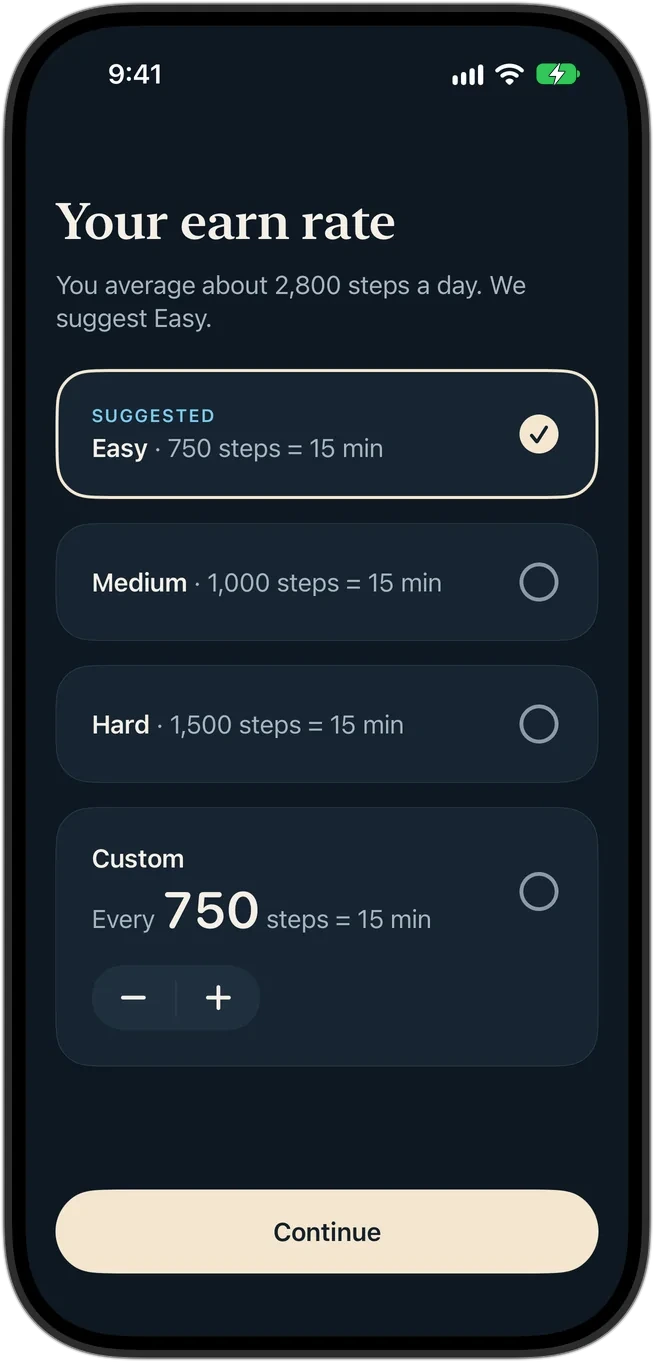
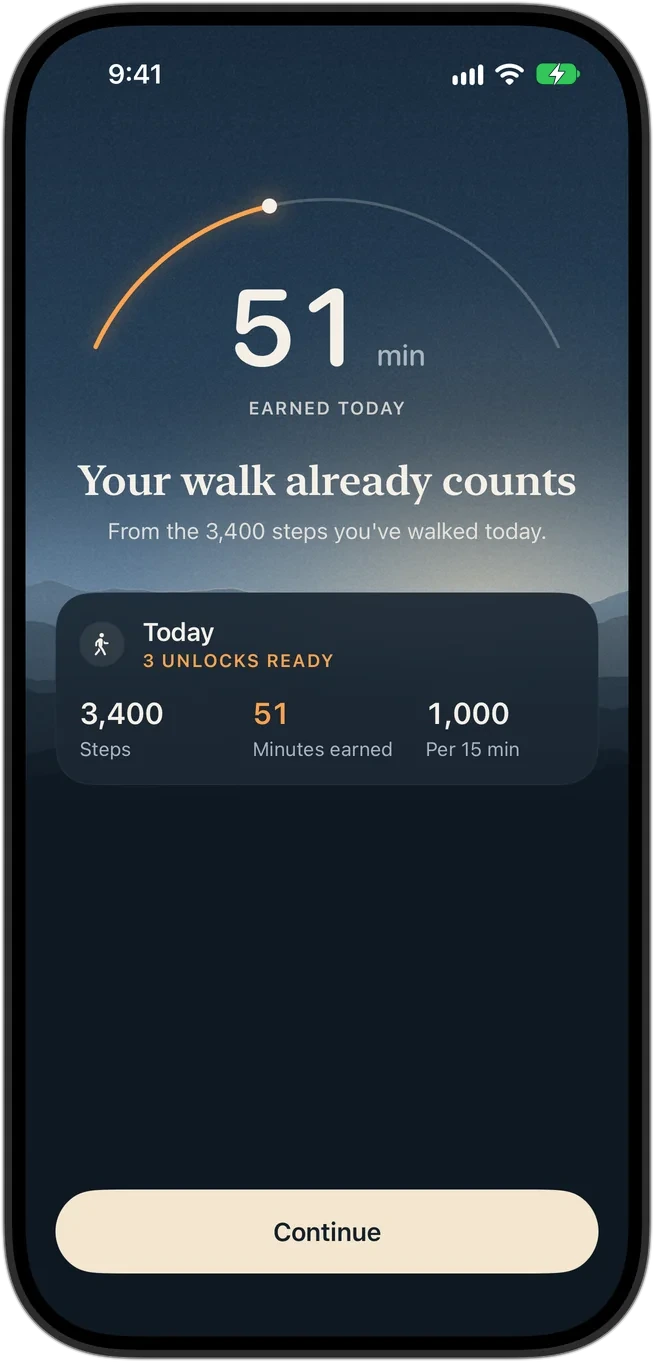
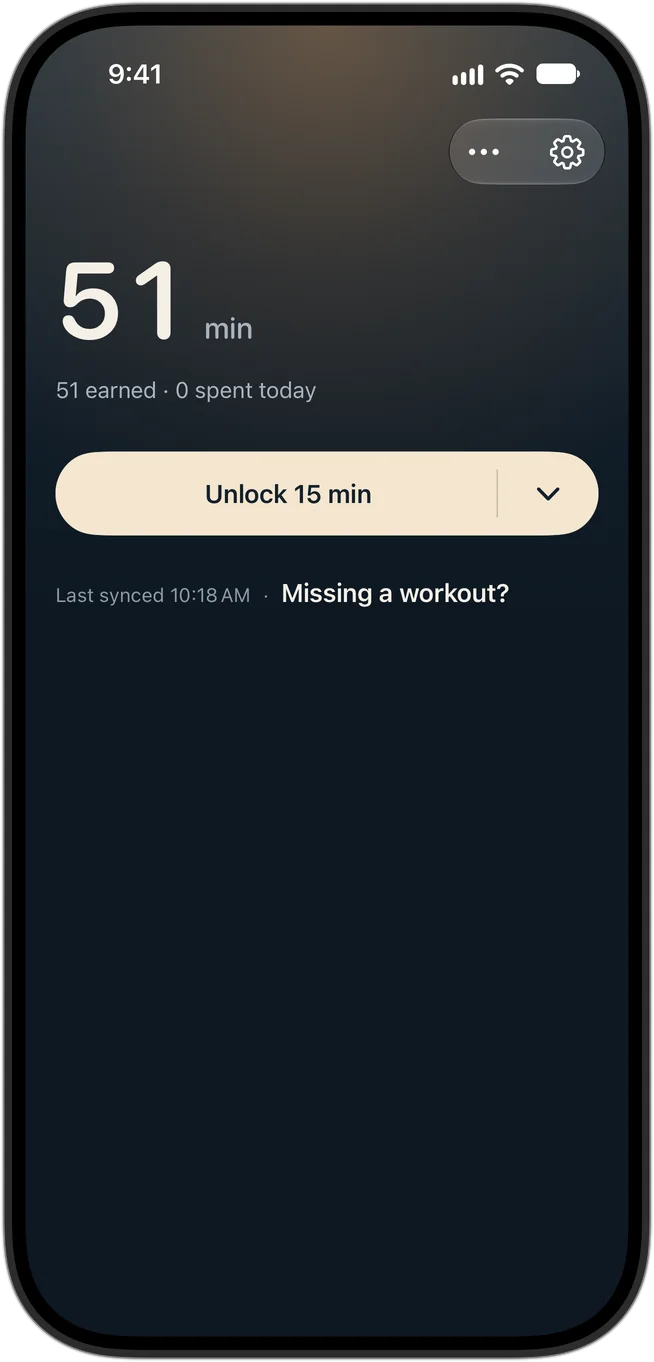
"Your walk already counts." Nearly everyone has walked somewhere before they install an app.
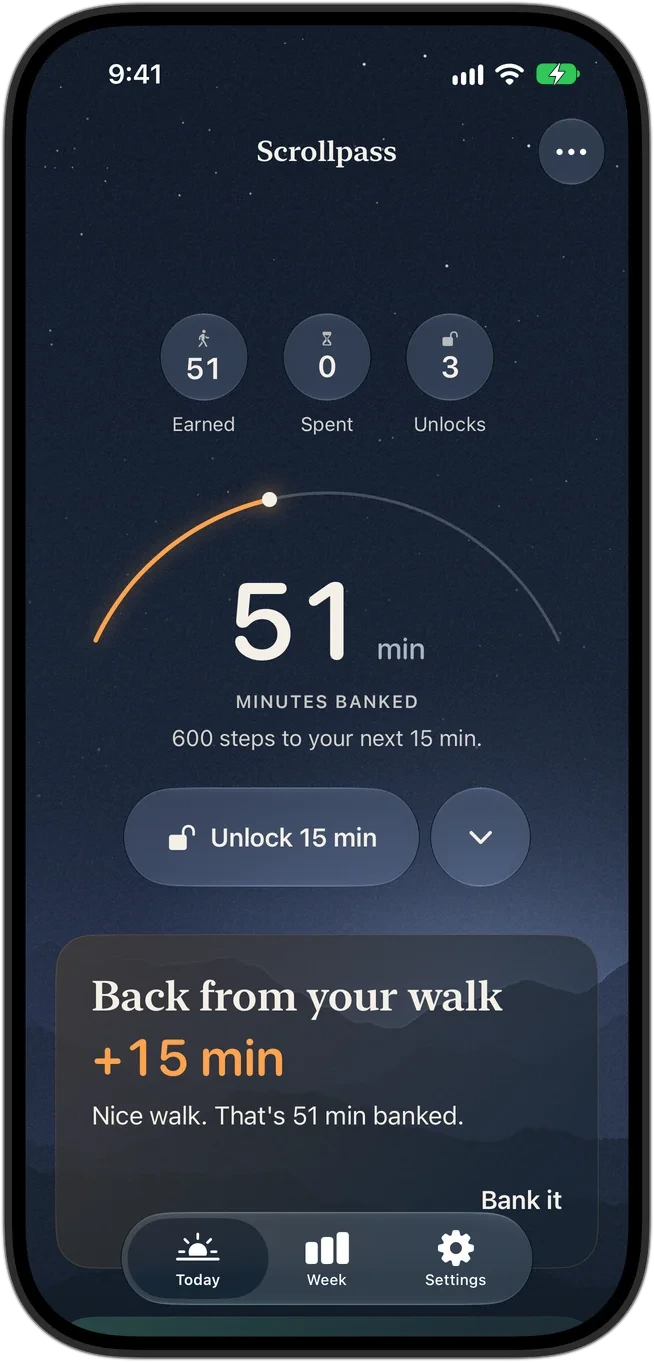
So the last onboarding screen reads today's activity and shows the minutes already banked, counting up along the arc: 51 minutes from 3,400 steps. It turns a permission-heavy setup into a reward, and it guarantees the first session pays out before the paywall ever appears.
The amber is deliberate. In Scrollpass, amber appears only on minutes and steps the user earned. It's the one color you have to move to see.
The whole screen, not just the hero
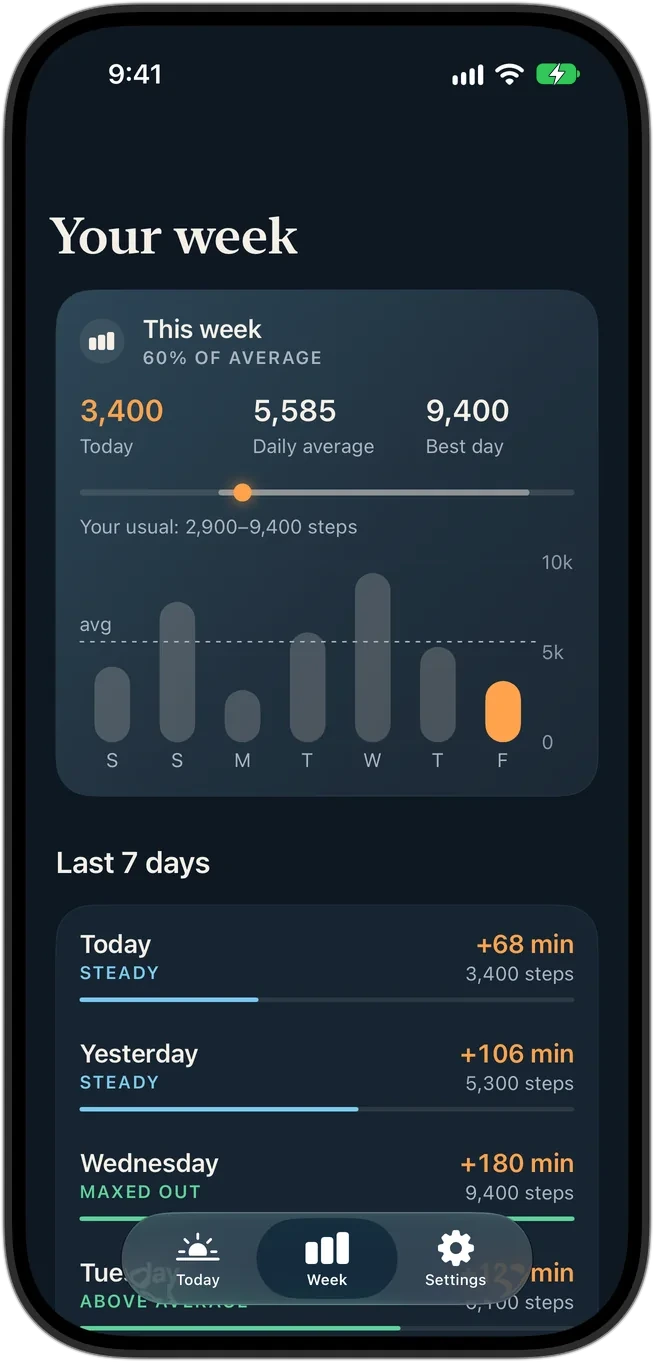
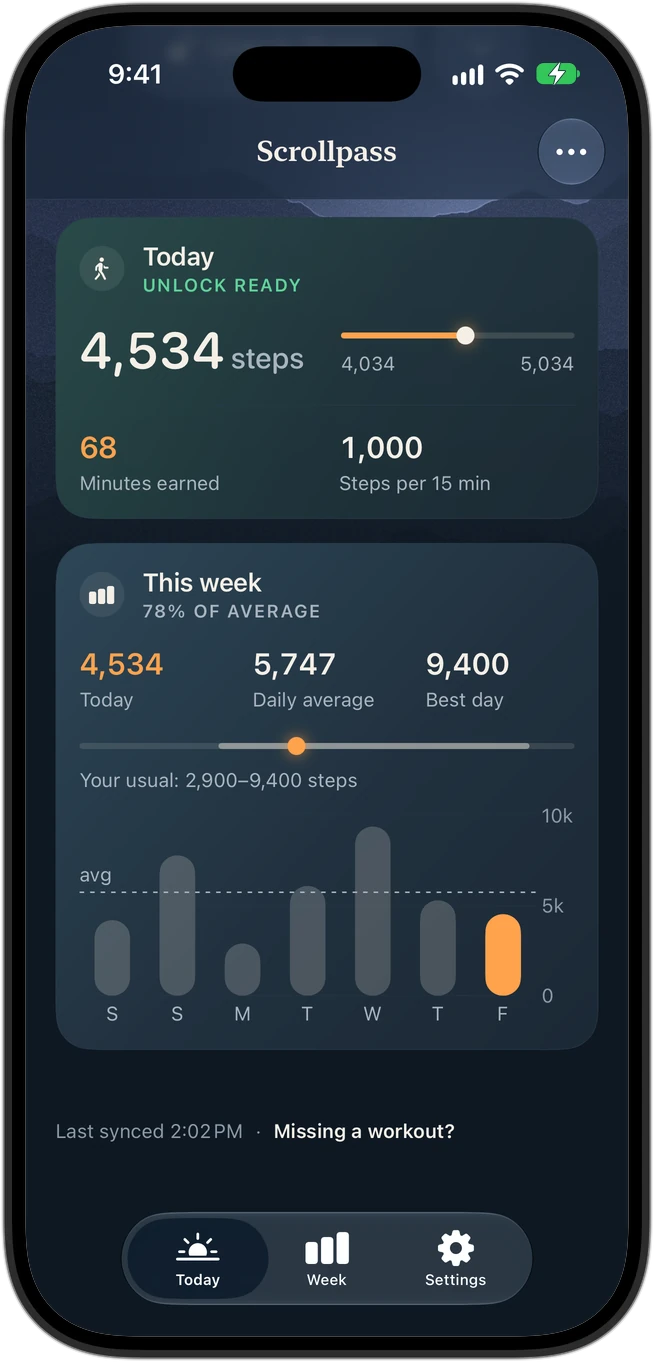
Home and Week are read top to bottom: the glance first, then the evidence. These are live recordings from the running build, scrolled by the agent in the Simulator.
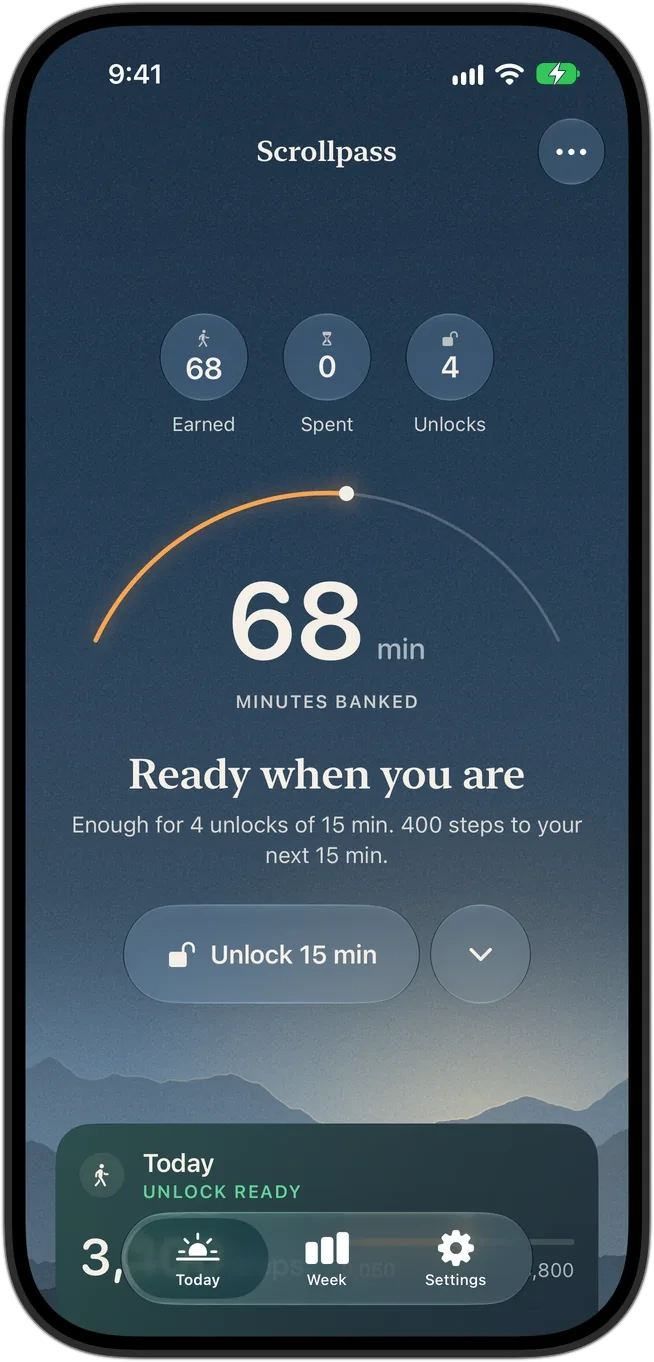
- 01Glance: earned, spent, unlocks left
- 02Hero: minutes banked, progress to the next 15
- 03Action: one glass button
- 04Today: steps against the next unlock
- 05This week: today against your usual range
- 06Trust: when Health last synced, and help if a workout is missing
The thinking behind the screens
These artifacts set the build order. The reveal and the weekly emergency exit exist because of the two low points in the journey map.
Jordan, 21, college junior
"I want to feel in control of TikTok, not controlled by it."
- Devices
- iPhone and an Apple Watch from two birthdays ago
- Breaks down
- In bed. "Five minutes" ends at 2 a.m.
- Has tried
- Screen Time limits, then Ignore every time. Deleting TikTok during finals.
- Won't accept
- Filming themselves, guilt, anything that feels made for kids
When I open TikTok on autopilot, I want something to catch me before the scroll starts, so I choose it on purpose.
When I've had an active day, I want it to count toward something I enjoy, so the scroll feels earned rather than stolen.
When I'm sick or traveling, I want the rules to bend, so one bad week doesn't make me quit.
Jordan is the primary user. The calm register is what makes it work for their parent too.
Today
- Earned, spent, unlocks
- Minutes banked and the arc
- Unlock 15 min, longer on Pro
- Back from your walk
- Today and This week
Week
- Daily movement chart
- Average and usual range
- Last seven days
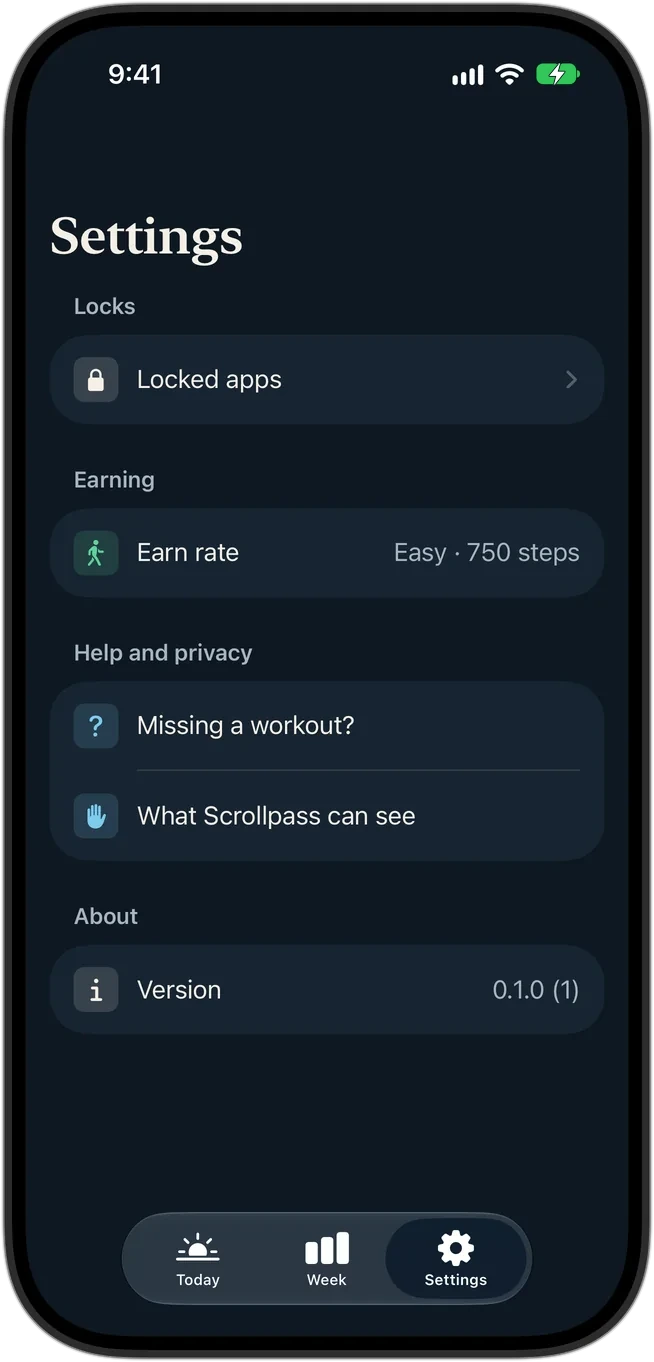
Settings
- Locked apps
- Earn rate
- Missing a workout?
- What Scrollpass can see
The shield
- Drawn by iOS over a locked app
- Copy changes with the balance
- Emergency 5 min, weekly
| What went wrong | What the user sees | Recovery |
|---|---|---|
| Screen Time access revoked | "Reconnect Screen Time" banner on Today | One tap, with a passcode variant |
| Saved app selection expired | "Your locked apps need a quick re-pick" | Picker opens empty, the lock re-applies on save |
| The lock didn't stick | "Locks didn't turn on" banner | Retry from the banner |
| Health hasn't synced | "As of 10:18" instead of a fake fresh number | "Missing a workout?" explains the fix |
| An unlock couldn't start | "Couldn't start your session. Try again." | The button stays, nothing was spent |
| The day's last minutes | "Redeeming pauses for the last few minutes of the day." | Comes back at midnight on its own |
| Daily earning maxed out | "You've maxed out today's earning: 180 min. Nice." | None needed, and no shame in it |
| Bank | Title | Subtitle template |
|---|---|---|
| Empty | Time for a walk | {steps} {unit} or {min} active min unlocks 20 min of {app}. It'll keep. |
| Close | {n} min banked | You're {n} {unit} from 15 min of {app}. As of {time}. |
| Ready | {n} min banked | Open Scrollpass to unlock {app}. As of {time}. |
| Capped | 0 min left | You've maxed out today's earning: 180 min. Nice. |
| Buttons | Earn more time | Emergency 5 min ({n} left) · No emergencies left |
"As of {time}" is there because Health data can lag. The shield never shows a number it can't stand behind.
| Scrollpass feature | In the market |
|---|---|
| Any Apple Health source | Uncommon · Fitlock, EarnLock |
| Pushes equal to steps | Uncommon · Fitlock |
| User-set earn rate | Table stakes |
| Bank with carry-over | Table stakes |
| Free weekly emergencies | Distinct · others sell skips |
| Free lock, paid earning | Required · Guideline 4.10 |
The uncomfortable finding: features don't differentiate in this category. Craft, voice and distribution have to. Placement is my read of each app's current listing and build.
A decision log
I reviewed every build on my iPhone and in the Simulator against reference screens from Oura, Apple Health, Whoop and Garmin. Four calls moved the product most. Each one gave something up.
From flat cards to a landscape that tells the time
The first pass was correct and lifeless. My review note was four words: "nothing happens yet." I lifted my own no-header-art rule and gave Home a Horizon drawn in code: six ridges with haze and rim light, palettes for each part of the day, film grain so the gradients read as photographic, and a sky that warms as minutes are earned.
- Considered
- Illustrations, a mascot, activity rings
- Chose
- A procedural landscape tied to time and progress
- Gave up
- A simpler render path, and a strict no-decoration rule
The primary action joins the sky
A full-width cream pill was the brightest object on screen and cut across the ridges, and its split chevron read as a form dropdown. It became an iOS 26 Liquid Glass capsule centered under the hero sentence, with longer unlocks in a round glass button beside it. The landscape now anchors below the button and stays whole.
- Considered
- A bottom-docked bar, moving the action into a card
- Chose
- Glass, the material iOS 26 uses over imagery
- Gave up
- Some contrast; the hero carries the emphasis instead
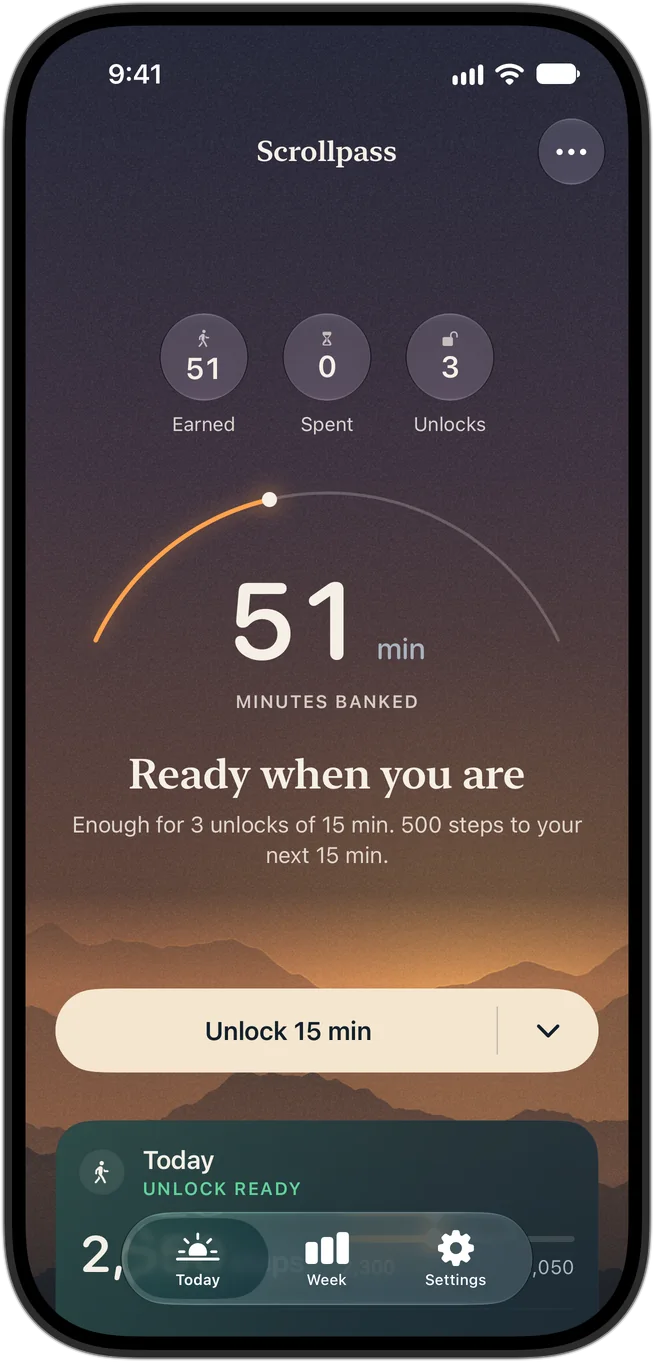
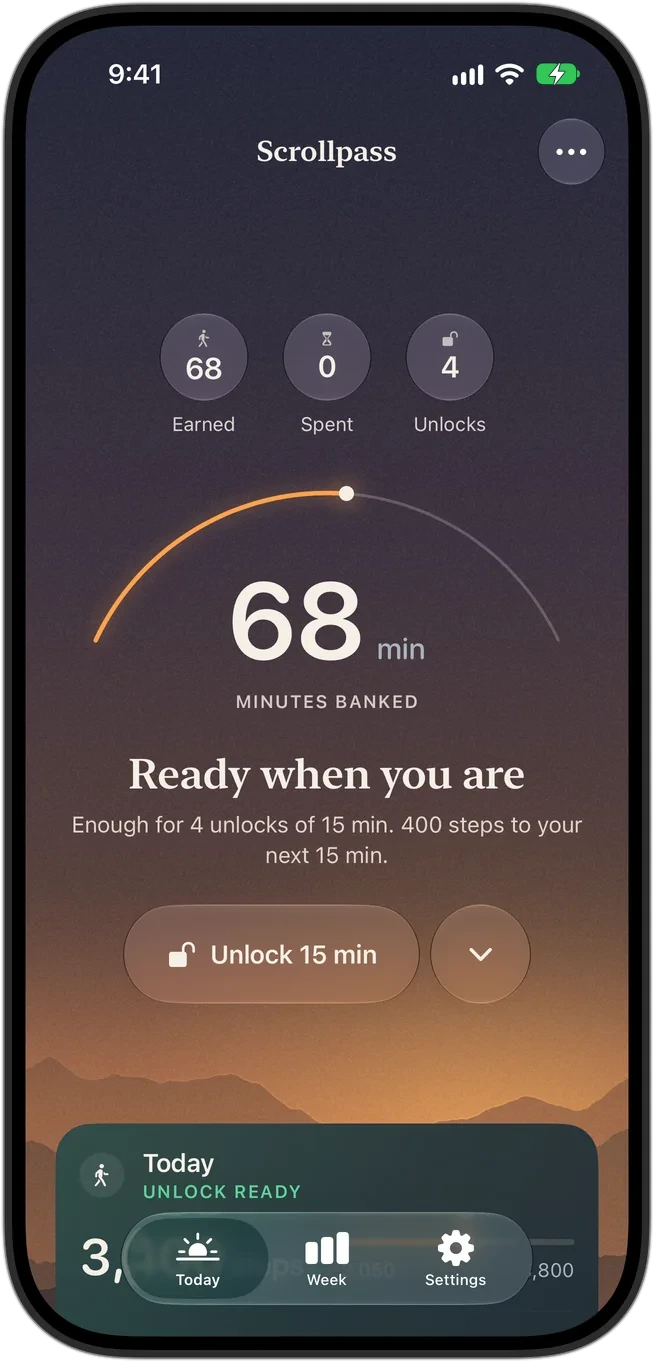
Text over imagery, at WCAG AA, at every size
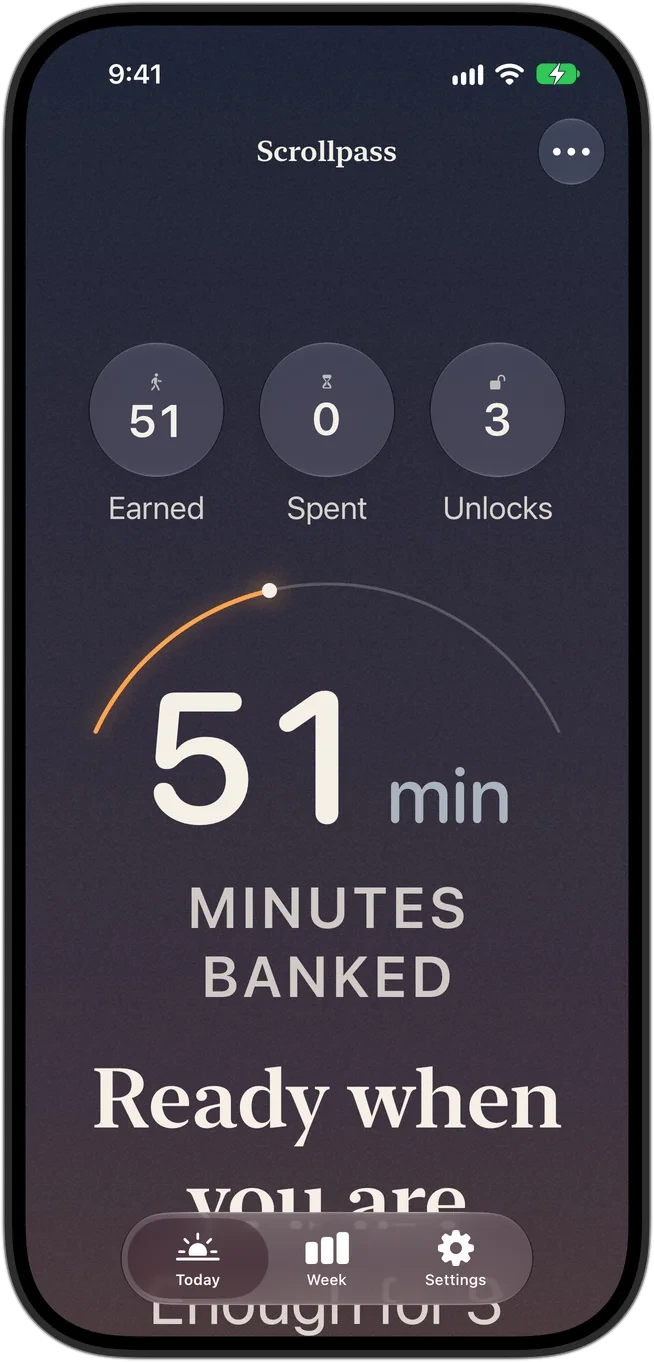
A legibility scrim darkens the sky behind the hero text in every palette. Its first version ended in a straight ramp, and the eye read the sudden change as a hard line across the sky, so it now fades on a smoothstep curve. Every screen is checked at the largest accessibility text size, where rows restack instead of truncating. VoiceOver hears outcomes ("30 minutes unlocked. Locks again when used."), and Reduce Motion removes count-ups and pulses.
- Considered
- Solid panels behind all text
- Chose
- An eased scrim, so the landscape stays visible
- Gave up
- A little sky saturation behind the text
Copy that never shames
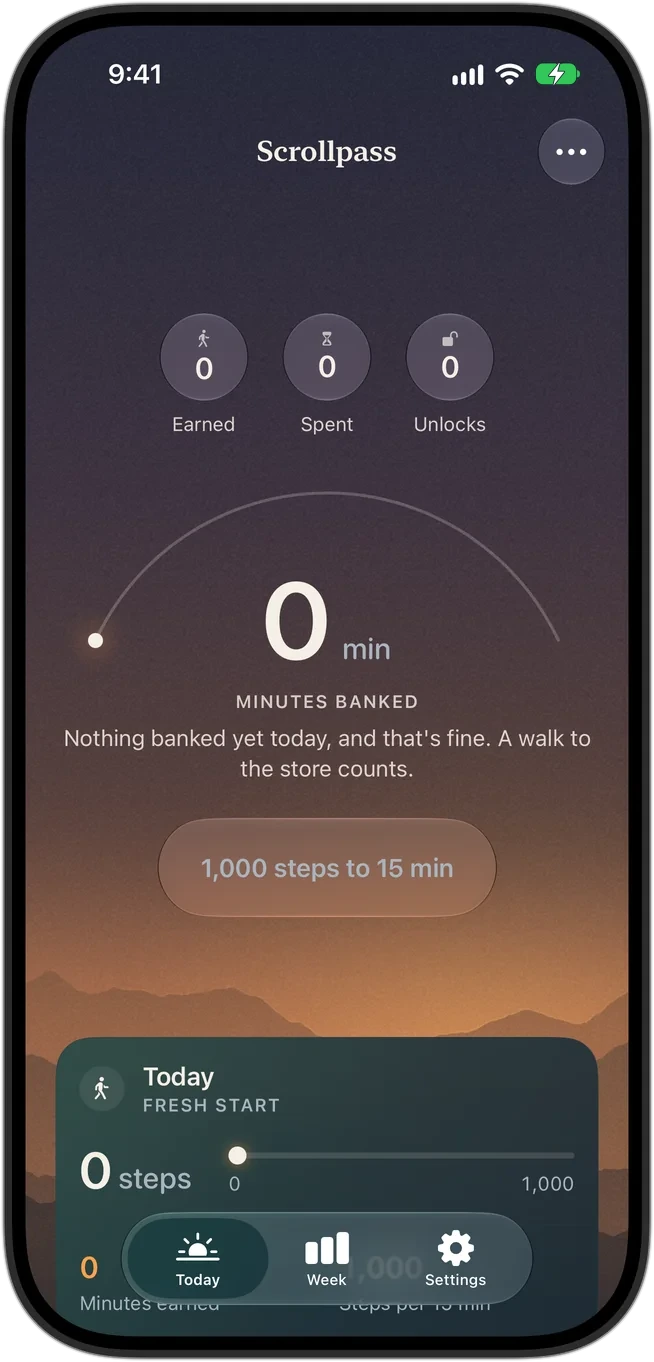
The shield is the most-seen screen in the product, and it always appears at a moment of friction. Its copy changes with the balance: "Time for a walk" when empty, "You're 400 steps from 15 min" when close, "Open Scrollpass to unlock" when ready. Nothing banked is "fine. A walk to the store counts." Maxing out the day is "Nice." It has to work for a 21-year-old and their parent.
- Considered
- Cheeky guilt copy, the category norm
- Chose
- Warm, specific, numbers first
- Gave up
- Some shareable edge. The tagline also changed: research found the original belonged to the category leader.
Dusk, glass, and one serif line per screen
The tokens live in a single design.md file that the coding agents read, mirrored to an HTML style guide for people. Nothing in the app picks its own color, size or spacing.
display
New York 34/41
Your walk already countsheadline
New York 28/34Ready when you arehero number
SF Rounded, tabular68 minbody
SF Pro 17/22Enough for 4 unlocks of 15 min. 400 steps to your next 15 min.label
SF Pro, caps, trackedMINUTES BANKEDchip
banner
card
sheet
Claude, wired into Xcode, the Simulator and my iPhone
This is the part that didn't exist a year ago. Claude Code didn't just write Swift: it built with Xcode's toolchain, ran the app in the iOS Simulator, tapped and scrolled it, read its own screenshots, and installed builds on my phone. I directed the loop and made the calls.
xcodegen generate
xcodebuild build testscripts/build.sh → exit 0simctl launch -fakeHour 18
status_bar --time 9:41tap · swipe · touch_pathscreenshot · ffmpeg tile"this feels off"devicectl device installgit commit · git push
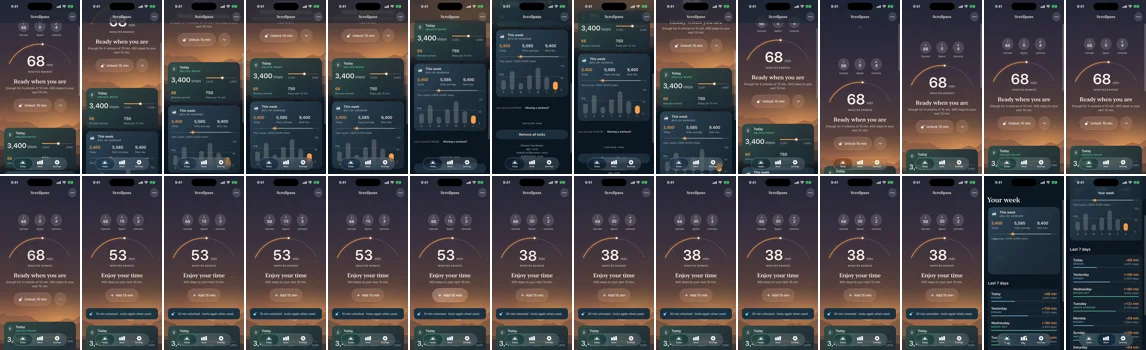
Top: every screen in one strip, which is how it caught that the reveal showed 38 instead of 51 minutes and reshot it. Bottom: a recorded take, scrolled and tapped by the agent, checked frame by frame before it went into a video.
- Atmosphere
- The agent built correct, flat screens. I called them lifeless ("nothing happens yet"), because a reward app has to feel like a reward. That became the Horizon.
- The button
- The agent placed a full-width cream pill across the landscape. I moved it into the sky as Liquid Glass, because the brightest thing on screen should be the minutes, not a control.
- The sky
- The agent's legibility scrim ended in a straight ramp. I saw a hard line across the sky and had it eased, because contrast can't come at the landscape's expense.
SwiftUI on iOS 26.5 with Swift 6 strict concurrency. FamilyControls, ManagedSettings and DeviceActivity for the lock; HealthKit for movement; Swift Charts for the week; Liquid Glass for controls. Xcode 27, XcodeGen, Swift Testing, XCUITest and the Simulator.
Screen Time can't run in the Simulator, so every system dependency has a fake. Launch arguments put any screen in any state, which made design review fast and repeatable.
Built, tested, and on its way to Apple
Apps that use Screen Time need Apple's explicit permission before they can ship, one approval for the app and one for each extension. That review is the gate between this build and the App Store.
- Directing AI is design direction. The quality of the spec, the tokens and the review set the quality of the product.
- "Nothing happens" is a real bug. Correct screens that don't move people aren't finished.
- Constraints made it better. The scrim, the restacking rows and the glass all came from accessibility.
- I'd run the market study before the polish. It showed distribution, not features, is the hard part.
- No one has used it yet. Every call here is mine, checked against reference apps, not people. The first week on TestFlight will overrule some of them.
- Distribution. No walking app has passed 500 ratings. The concept videos test this before any more features.
- Apple's approval. Screen Time permission is granted per app and per extension, and waits run from days to months.
- Lock reliability. Competitors' changelogs show shields failing on iOS 26. Real-device testing starts with the paid account.
- Price. $34.99 a year sits above the closest comparable at $19.99.
- Under three minutes from install to the reveal
- Locks kept on after 30 days, against the 36% hard-lock baseline
- Emergency exits per week, as a read on whether the rules feel fair
- Trial to paid on Pro
The walk you already took should count for something. Now it does.